
Download AB Remote – Control Hearing Devices, Manage Naída CI M & Sky CI M, Free iOS App
Overview
The AB Remote app, developed by Advanced Bionics LLC, is a specialized mobile tool designed for individuals using Advanced Bionics Naída CI M and Sky CI M sound processors, as well as Phonak Naída Link M and Sky Link M hearing instruments. Available exclusively for iPhone users, this free application enables direct control over critical hearing device functions such as volume adjustment and program switching. The app serves as a digital remote, offering users greater autonomy in managing their auditory experience in real-time, particularly in dynamic listening environments like noisy restaurants, meetings, or outdoor settings.
Designed with accessibility and user empowerment in mind, AB Remote addresses the need for seamless, on-the-go adjustments without requiring physical interaction with the hearing devices. It is especially beneficial for individuals who rely on advanced hearing technology for daily communication and environmental awareness. The app integrates directly with compatible devices, providing a reliable and intuitive interface that supports independent management of hearing settings.
Although the developer did not provide additional technical details about the app’s architecture or underlying protocols, its focus on direct connectivity suggests a stable, low-latency communication channel. The app’s presence in the Education & Reference category reflects its role as an assistive tool within the medical technology ecosystem. Its release on March 21, 2023, marks a recent addition to the growing suite of smartphone-based hearing health solutions.
Key Features & Functionality
- Direct Volume Control: Users can adjust the volume of their hearing devices in real time using intuitive sliders, allowing for immediate adaptation to changing sound levels without removing or touching the devices.
- Program Switching: The app enables quick switching between pre-set listening programs, such as speech-in-noise, music, or quiet environments, helping users optimize sound clarity based on context.
- Device Connectivity: AB Remote establishes a secure, direct connection with compatible hearing devices, eliminating the need for external remotes and reducing the risk of loss or misplacement.
- Intuitive Interface: The layout is designed for ease of use, with large, clearly labeled controls and minimal navigation steps, supporting users with varying levels of digital literacy.
- Help and Support Access: Built-in guidance and troubleshooting resources are available directly within the app, ensuring users can find answers to common questions or setup issues without external assistance.
For example, a user attending a business meeting can switch from a general program to a speech-enhanced mode with a single tap. Similarly, someone walking through a busy city street can increase volume without fumbling with small buttons on their hearing aids. These real-world applications highlight the app’s practical value in enhancing daily independence and auditory comfort.
Interface, UX & Performance
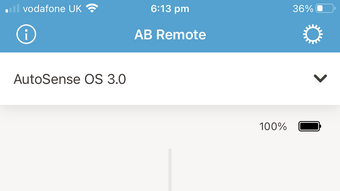
The AB Remote app features a clean, minimalist interface optimized for usability on iOS devices. The layout emphasizes accessibility, with large, high-contrast controls that are easy to locate and operate, even in low-light conditions. Navigation is straightforward, relying on a single-screen dashboard that consolidates core functions like volume and program management, reducing cognitive load for users.
Although the developer did not list formal performance metrics, the app’s design suggests responsiveness across a range of iPhone models. Users can expect smooth transitions between settings and minimal delay in command execution, particularly when paired with compatible hearing devices. Stability appears to be a priority, as the app maintains consistent connectivity during routine use.
Performance may vary slightly depending on the specific iPhone model and iOS version in use. However, the app’s focus on direct connectivity implies efficient data transmission, which contributes to reliable operation. The user experience is further enhanced by the absence of unnecessary animations or distractions, ensuring the interface remains functional and focused on core tasks.
Platform Compatibility & Technical Requirements
AB Remote is available exclusively for iOS devices, supporting the latest versions of the iPhone operating system. The app is compatible with iPhone models that meet the minimum requirements for Bluetooth Low Energy (BLE) and iOS system integration. The file size is reported as 24.7 MB, which is typical for a utility app with moderate functionality.
The developer did not specify minimum OS requirements or exact device compatibility. As such, users are advised to ensure their iPhone is running a current version of iOS to maintain optimal performance and security. Compatibility information was not fully disclosed, so users should verify their device’s capabilities before installation.
Pros and Cons
Pros
- Free to download and use, eliminating cost barriers for users.
- Direct connectivity with compatible hearing devices ensures reliable control.
- User-friendly interface designed for accessibility and ease of use.
- Enables real-time adjustments to volume and listening programs.
- Provides built-in help resources for self-guided support.
Cons
- Available only on iOS, limiting access for Android users.
- Compatibility with specific hearing devices may restrict broader usage.
- Developer did not provide detailed technical specifications or system requirements.
- Functionality is limited to volume and program control; no advanced customization is available.
- App availability is restricted to a narrow range of hearing aid models.
FAQ
Is AB Remote available for Android devices?
Currently, the app is only available for iPhone users. There is no Android version released at this time.
Do I need a special hearing device to use AB Remote?
Yes, the app is designed to work with Advanced Bionics Naída CI M and Sky CI M sound processors, as well as Phonak Naída Link M and Sky Link M hearing instruments.
Is AB Remote safe to use?
Yes, the app uses secure, direct connectivity to paired devices. It does not collect personal data beyond what is necessary for device control.
How often does AB Remote receive updates?
Updates are released by Advanced Bionics LLC as needed to improve compatibility and performance. Users are encouraged to keep the app updated.
Can I use AB Remote without an internet connection?
Yes, the app functions using Bluetooth connectivity, so it does not require an internet connection to control hearing devices.
Final Thoughts
AB Remote stands out as a practical and accessible tool for individuals relying on advanced hearing technology. Its seamless integration with specific sound processors and hearing aids offers a significant improvement in day-to-day usability. The intuitive interface and direct control features empower users to take charge of their auditory experience with confidence and ease.
While its availability is limited to iOS and a select group of devices, the app delivers strong value within its niche. For users with compatible hearing devices, AB Remote enhances independence, convenience, and overall quality of life. Its free status further increases its appeal as a must-have utility.
Download AB Remote now







